FAQ
Embroidery digitizing questions, answered
Stitch and Threads is an AI embroidery digitizer. Upload a PNG or JPG, see it stitched in 4 styles in about a minute for most designs, and download DST, PES, JEF, EXP, VP3 or XXX. It's free to try, works in the browser and is in Beta. Below: every question we get, grouped.
Last updated · The Stitch and Threads team
Real results, on real products
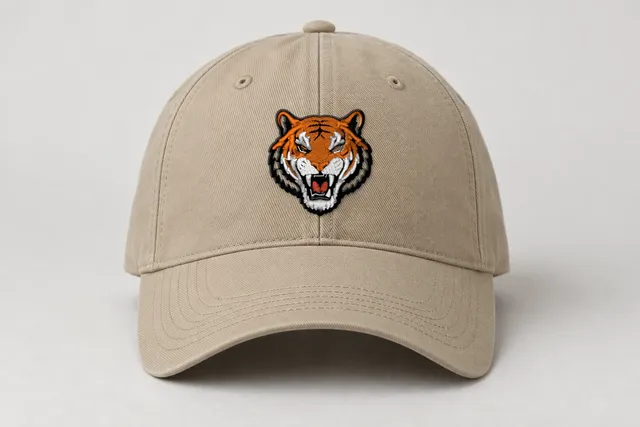 Sample
Tiger mascot
Classic
9,273 stitches · 5 threads · 50 mm wide
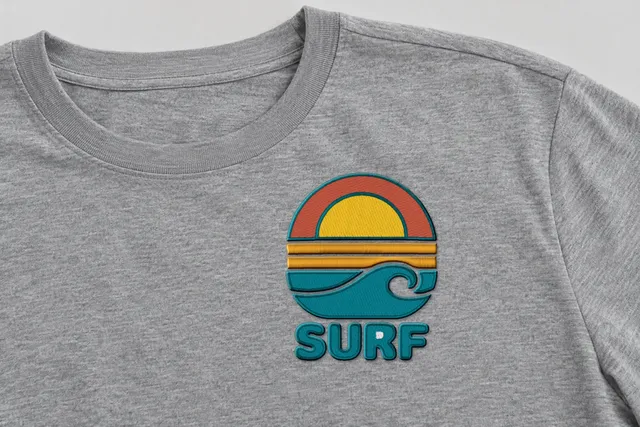 Sample
Surf sunset badge
Bold Outline
14,105 stitches · 5 threads · 90 mm wide
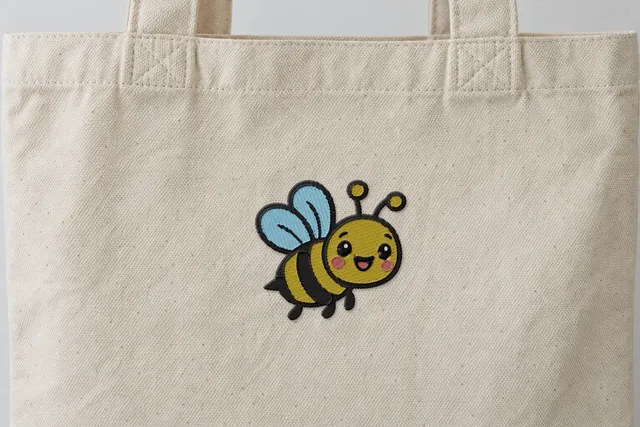 Sample
Happy bee
Soft & Light
4,567 stitches · 5 threads · 90 mm wide
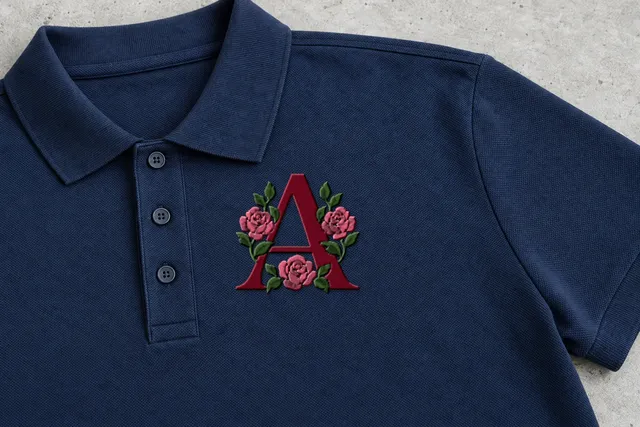 Sample
Rose monogram
Classic
7,515 stitches · 3 threads · 90 mm wide
Mockup: our rendered stitches on a product photo, at true size. Sample designs, not customer work.
The basics
What is embroidery digitizing?
Embroidery digitizing is turning a picture into stitches: deciding which shapes are filled, which are satin and which are lines, the angle of the stitches, the underlay and the sewing order. The result is a file your embroidery machine reads.
What does Stitch and Threads do?
Stitch and Threads is an AI embroidery digitizer. You upload a picture, and in about a minute for most designs it shows it stitched in 4 styles. Pick one and download DST, PES, JEF, EXP, VP3 or XXX.
Is it free to try?
Yes, to start. Every free account gets 5 free designs, no card. See pricing.
Do I need an account to try it?
Yes, a free one. Sign up with Google, Apple, Microsoft or email. Every account gets 5 free designs, no card.
Does it work on Mac, iPad and phones?
Yes. Stitch and Threads works in the browser on Mac, PC, iPad and phones. There is nothing to install.
Is it a Beta?
Yes. Stitch and Threads is in Beta.
Your art
What kind of art works best?
Logos, lettering, clip art and line drawings. Upload the biggest, cleanest image you have. Photos work too, but they're experimental in the Beta.
Can I upload a photo?
Yes, but photos are experimental in the Beta. Logos, lettering, clip art and line drawings work best.
What file types can I upload?
PNG or JPG, up to 25 MB.
How big can my design be?
You choose the width, from 10 to 400 mm.
What happens to my art?
Your art is only used to make your design.
Styles and quality
What are the 4 styles?
Classic: fills for big areas, satin for borders and letters, fine lines as runs. Bold Outline: Classic plus a satin outline around every color, for a crisp badge look. Soft & Light: lighter density and fewer stitches, softer on t-shirts and faster to sew. Line Art: just the outlines, for a light, hand-drawn look.
Which style should I pick?
Classic suits most logos. Bold Outline gives a badge look and suits caps and dark garments. Soft & Light suits t-shirts and light fabrics and is faster to sew. Line Art gives a light, hand-drawn look.
Is the preview exactly how it will sew?
No. The preview is a realistic render, not a photo of a sew-out. Thread, fabric, stabilizer and machine all change the result. Do a test sew-out first.
How many stitches will my design have?
Each style shows its stitch count before you download. Our sample badge at 90 mm has 7,019 stitches in Classic, 7,924 in Bold Outline, 4,174 in Soft & Light and 941 in Line Art.
How long will it take to sew?
Each style shows an estimated sewing time. Our sample badge at 90 mm is about 11.5 min in Classic, 13.0 in Bold Outline, 7.6 in Soft & Light and 1.5 in Line Art.
Files and machines
Which format does my machine need?
DST for most commercial machines (Tajima, Melco), PES for Brother and Baby Lock, JEF for Janome and Elna, EXP for BERNINA and Melco, VP3 for Husqvarna Viking and PFAFF, and XXX for Singer.
Does DST store colors?
No. A DST file has color stops only: the operator chooses the thread for each needle. Our EXP files work the same way. PES and JEF use the nearest color from the brand's thread chart, and VP3 and XXX store the exact colors.
Can I download more than one format?
Yes. Downloading the same design again, in any style or format, is free.
Will the file fit my hoop?
Choose a width that fits your hoop. Common home hoops are about 4×4 in (100×100 mm), 5×7 in (130×180 mm) and 6×10 in (160×260 mm). Check your machine's manual.
Account and pricing
What counts as a design?
One picture you upload. Downloading it again, in any style or format, is free. So is making it again at a new size.
Are re-downloads free?
Yes. The first download of a design uses 1 free design. Downloading it again, in any style or format, is free.
Do I need a card?
No. The 5 free designs need no card.
What happens after 5 free designs?
Paid plans are coming soon. Downloading a design you already downloaded stays free.
Coming next
Can I change the design by chatting?
Not yet. Asking for changes in your own words is coming next. Today you can change the style, the size and the file format with the controls.
Can I see my design on a t-shirt?
Coming next. Today the product previews show our sample badge on a polo, a cap, a t-shirt and a tote.
Your artwork, privacy and refunds
Who owns my artwork and the files?
You do. Your artwork stays yours, and you own the embroidery files you download; we only get the limited permission we need to run the service. Read more in Your artwork and files.
Can I sell products made with the files?
Yes. You can stitch your designs on products you sell and use them for client work, with no royalties. You just need the rights to the artwork itself, so get permission before using someone else's logo or character (Your artwork and files).
Do you use my uploads to train AI?
No. We never use your uploaded artwork or your designs to train AI models; AI only helps plan the stitches for your own design (Your artwork and files).
How long do you keep my uploads?
We keep your uploads and designs while your account is open, so you can download them again. If you delete your account, we delete them within 30 days and backups cycle out within a further 30 days (Privacy Policy).
How do I delete my account and data?
Email hello@designmusketeer.com from the email address on your account and ask us to delete your account. We'll delete your account, uploads and designs within 30 days, and backups cycle out within a further 30 days (Privacy Policy).
What's your refund policy?
Stitch and Threads is free during the beta, and if a download fails, your free design comes back automatically. When paid plans launch, unused credits are refundable within 14 days, and if a file we made won't load or sew correctly on a supported machine and we can't fix it, we refund the credits used (Refund Policy).
Your AI digitizer
Drop your art. See it stitched in 4 styles.
PNG or JPG, up to 25 MB. Free account · 5 free designs, no card.
Drop your artwork